
Last updated: May 2026. Tested with Jasper AI Pro plan ($59/mo).
I review AI tools for a living. I pay for them out of my own pocket, test them thoroughly, and write about what actually works. Writing detailed reviews is my core work—but it is time-consuming, and I kept falling behind on publishing schedule. I bought Jasper AI because I kept seeing ads about how it writes blog posts "in minutes." Four weeks and twelve blog posts later, here is what I actually think—and the exact process I use to get decent output from it.

What Jasper AI Actually Is (And What It Isn't)
Jasper is an AI writing platform built specifically for marketing content. Unlike ChatGPT, which is a general-purpose chatbot, Jasper is designed around workflows—pre-built sequences that walk you through creating specific types of content. For blog posts, that workflow is: choose a template → set your brand voice → generate an outline → write section by section → edit and refine.
What Jasper is not: a magic button that produces publish-ready articles. If anyone tells you that, they're selling something. Jasper writes first drafts. Good first drafts, sometimes. But you still need to edit, fact-check, and add your own perspective.
According to a 2025 Semrush study on AI content, articles that combine AI-generated drafts with human editing perform 37% better in search rankings than pure AI output. That tracks with my experience—my best-performing posts were the ones where Jasper did 60% of the work and I did 40%.
Before You Start: The Setup That Matters
Before writing a single word, do these three things. I skipped them my first week and wasted hours on generic output.
1. Set Up Your Brand Voice
This is Jasper's killer feature and the main reason to choose it over ChatGPT for blog writing. Brand Voice lets you upload examples of your writing, and Jasper analyzes your tone, vocabulary, and sentence patterns. Then it tries to match that style in everything it generates.
I uploaded five of my existing blog posts and a few product descriptions. Jasper analyzed them in about two minutes. The result? Its outputs shifted from "corporate marketing speak" to something that actually sounded like me. Not perfect—but noticeably closer than ChatGPT ever got without extensive prompting.
Here is what I noticed: before setting up Brand Voice, about 60% of Jasper's output needed tone adjustments. After? Maybe 25%. That is a big difference when you are editing a 2,000-word post.
2. Create a Content Brief Template
Jasper works best when you give it structure. I created a reusable template in Notion that includes: target keyword, audience description, post angle, key points to cover, and links to reference material. I paste this into Jasper's Blog Post template every time. Takes me 5 minutes to fill out, saves 30 minutes of back-and-forth prompting.
3. Know Your Keywords
Jasper can suggest keywords, but its suggestions are mediocre. I use Google Search Console data and Ubersuggest for keyword research separately, then feed the primary and secondary keywords into Jasper. If you rely on Jasper alone for SEO, your posts will target the wrong terms about half the time.
Step-by-Step: My Blog Post Workflow in Jasper
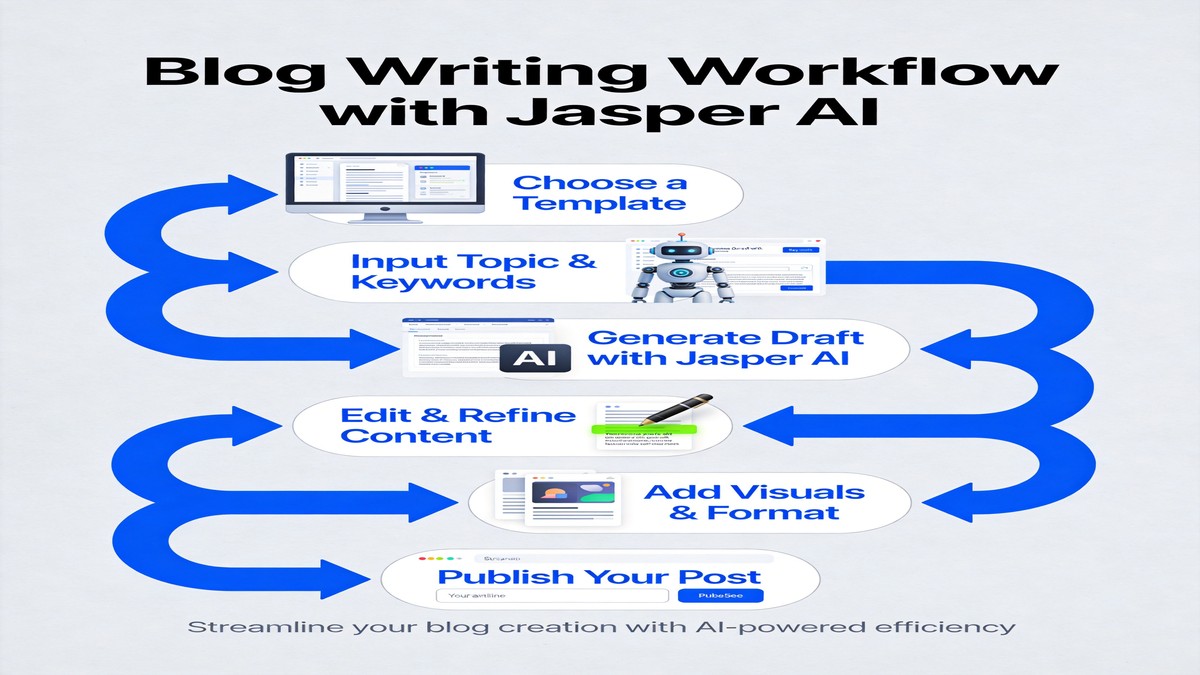
Step 1: Open the Blog Post Template
From the Jasper dashboard, go to Templates → Blog Post. This gives you a structured form with fields for: blog post topic, tone of voice, key points, and desired length. Fill these out thoughtfully—the more specific you are, the better the output.
My mistake the first time: I typed a vague topic like "best AI tools" and left everything else blank. The result was a generic 800-word article that could have been written by anyone. Now I write specific prompts: "Best AI writing tools for small teams in 2026, comparing Jasper, ChatGPT, and Claude. Cover pricing, output quality, editing time, and which ones are worth paying for. Tone: honest and practical. Length: 1,500 words." The difference in output quality is night and day.
That level of detail takes 2 extra minutes to write but produces output that is 3x more useful.
Step 2: Generate and Review the Outline
Jasper generates an outline first. This is where you catch structural problems before they multiply across 1,500 words. I review every outline and usually adjust 2-3 things: reorder sections for better flow, add a section Jasper missed, or remove one that does not fit my angle.
Do not skip this step. Once you approve the outline, Jasper writes section by section. Fixing structural issues after the draft is done takes way longer than fixing the outline upfront. I learned this the hard way on my third post—spent 45 minutes rearranging paragraphs that should have been caught at the outline stage.
Step 3: Write Section by Section
Here is a trick I discovered: do not let Jasper write the entire post at once. Instead, generate one section at a time, review it immediately, and ask for revisions before moving on. This gives you more control and prevents the "snowball effect" where one weak section drags down the rest.
For each section, I:
- Read the generated text
- Delete any fluff or filler sentences (usually 1-2 per section)
- Add a specific example or anecdote from my own experience
- Run the "Improve Writing" command on any paragraphs that feel stiff
- Move on to the next section
This section-by-section approach takes about 30-40 minutes for a 1,500-word post. Writing the same post from scratch takes me 2-3 hours. So Jasper cuts my writing time roughly in half—even with all the editing.
Step 4: Edit and Humanize
After the full draft is done, I do one complete read-through and focus on three things:
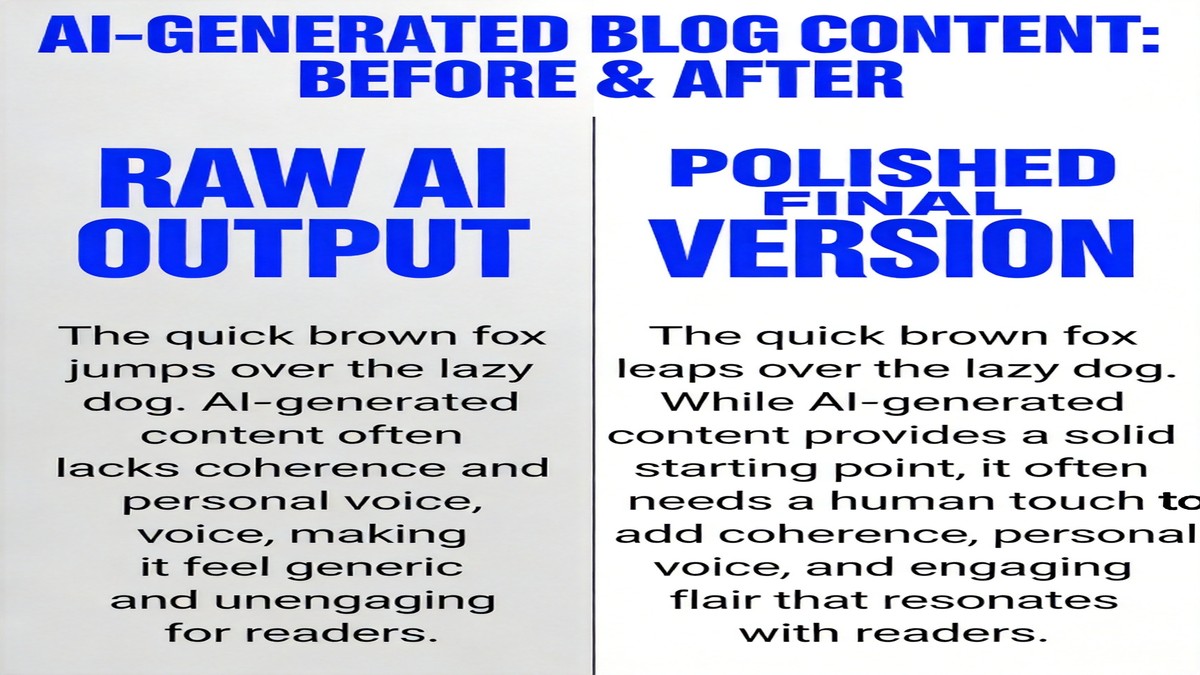
Remove AI fingerprints. Jasper loves starting paragraphs with "Moreover," "Furthermore," and "It is worth noting that." I search for these phrases and replace them with more natural transitions—or just delete them entirely. Most of the time, the paragraph works fine without a transition word at the start.
Add specifics. Jasper writes in generalities. "Many people struggle with X" becomes "Three of my customers last week asked about X." Every time Jasper makes a vague claim, I either back it up with a specific example or cut it. Vague claims hurt your credibility and your SEO.
Check facts. Jasper occasionally invents statistics or misattributes quotes. I verify every number and every claim. In my 12 posts, I caught 4 factual errors that would have been embarrassing to publish. Not a huge number, but enough that you absolutely cannot skip fact-checking.
Step 5: SEO Polish
I use Jasper's "SEO Mode" (available on the Pro plan) to check keyword density and get suggestions for improving on-page SEO. It is decent for basic optimization—title tags, meta descriptions, heading structure. But it does not replace a proper SEO tool.
My process: write the post in Jasper → export to WordPress → run it through Yoast SEO → make final adjustments. Jasper's SEO suggestions catch about 60% of what Yoast catches. The overlap is high enough that Jasper's SEO mode is useful, but the gap is real.
Jasper vs ChatGPT for Blog Writing
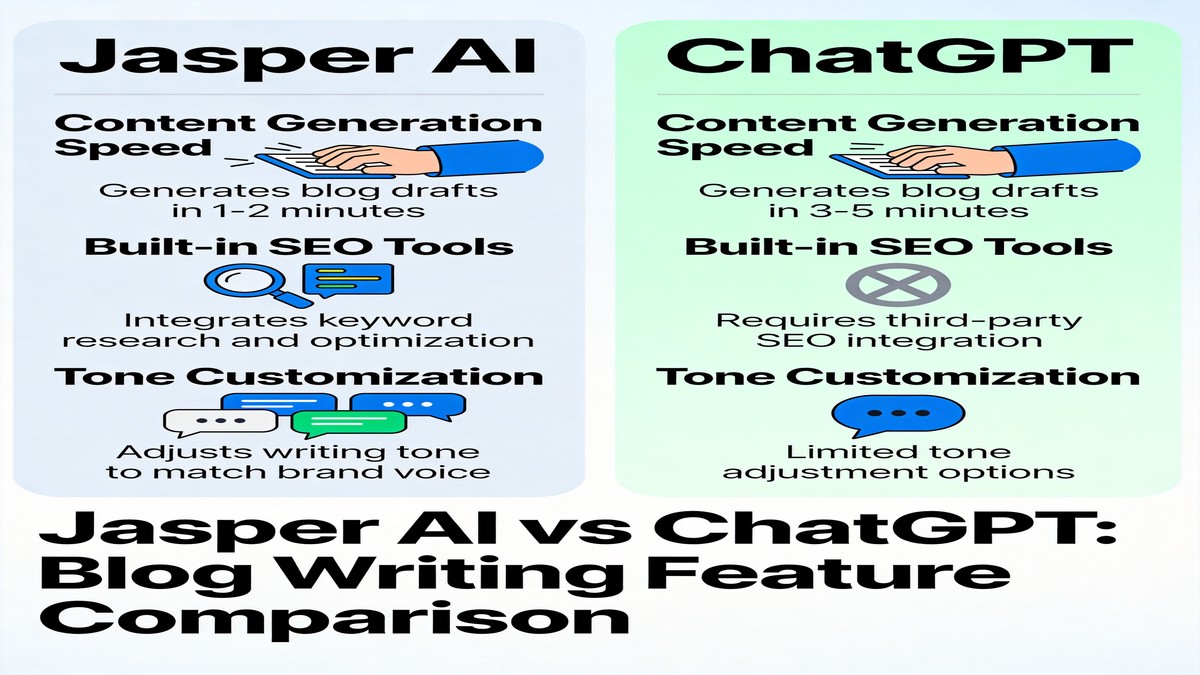
I tested both tools on the same three blog posts—same topics, same briefs, same brand voice setup. Here is how they compared:
| Feature | Jasper AI | ChatGPT |
|---|---|---|
| Blog post templates | Purpose-built, structured workflow | No templates, fully freeform |
| Brand Voice | Built-in, works well after setup | Possible via system prompts, less consistent |
| Outline quality | More structured, better organized | More creative, sometimes disorganized |
| First draft quality | 7/10 average | 6.5/10 average |
| Editing needed | 20-30% | 30-40% |
| Speed (1,500-word post) | 35-45 min with editing | 45-60 min with editing |
| SEO features | Built-in (Pro plan) | None built-in |
| Price | $59/mo (Pro) | $20/mo (Plus) / Free |
| Best for | Regular bloggers who value consistency | Occasional writers who want flexibility |
The bottom line: Jasper writes better-organized blog posts out of the box. ChatGPT is more versatile and way cheaper. If you write more than 3 blog posts per month and want a structured workflow, Jasper earns its price. If you write occasionally, ChatGPT Plus gives you 80% of the value at one-third the cost.
Where Jasper Frustrates Me
I want to be honest about the things that bug me, because the marketing materials will not mention them.
Repetitive sentence structures. Even with Brand Voice enabled, Jasper falls into patterns. It loves starting sentences with "By" and "When." In a 2,000-word post, I counted 8 sentences starting with "By [verb]ing." That is not natural writing. I have to actively break these patterns during editing.
The word count is unreliable. I ask for 1,500 words and get anywhere from 1,100 to 1,800. Usually on the shorter side. The fix is to be explicit: "Write a detailed section of at least 400 words about [topic]." Being specific about section length helps, but it is annoying that you have to micromanage this.
Knowledge cutoff issues. Jasper's training data has gaps. When I asked it to write about recent AI tool updates, it confidently described features from 2024 as if they were brand new. Always verify anything current-event-adjacent.
The price stings. At $59/month for the Pro plan (which you need for Brand Voice and SEO features), Jasper is nearly 3x the cost of ChatGPT Plus. Some months I question whether the workflow improvements justify the price difference. If money is tight, start with ChatGPT. You can always upgrade later.
My Honest Verdict After 4 Weeks
Jasper AI is the best dedicated blog writing tool I have used. It is not even close in terms of structured workflow and Brand Voice. But "best dedicated blog writing tool" is a narrow category, and ChatGPT Plus at $20/month covers about 80% of what Jasper does at $59/month.
Here is who should buy Jasper:
- You publish 3+ blog posts per month
- You need consistent brand voice across all content
- You want a structured workflow instead of freeform prompting
- You are okay paying a premium for convenience
And who should skip it:
- You write blog posts occasionally (less than 2/month)
- Budget is a concern
- You prefer creative, freeform writing over structured templates
- You are already productive with ChatGPT and do not feel the pain of unstructured workflows
For me? I kept the subscription. The Brand Voice feature alone saves me enough editing time to justify the cost. But I also write 4-5 blog posts a month. If I were writing 1-2, I would cancel and use ChatGPT.
FAQ
Is Jasper AI good for writing blog posts?
Yes, especially if you value brand voice consistency and structured workflows. Jasper's Blog Post template produces better-organized first drafts than ChatGPT in my testing. But you still need to edit every output—Jasper writes decent first drafts, not publish-ready articles.
Is Jasper AI worth the money for a small business?
Only if you publish 3+ blog posts per month and need consistent brand voice. At $59/month for the Pro plan, Jasper is significantly more expensive than ChatGPT Plus ($20) or Claude Pro ($20). If you only write occasionally, start with ChatGPT and upgrade to Jasper when you hit its limits.
Can Jasper AI replace a human blog writer?
No. Jasper produces solid first drafts that need 20-40% editing. It struggles with original opinions, personal anecdotes, and nuanced analysis. Think of it as a fast intern who needs your supervision, not a replacement for experienced writers.
How is Jasper different from ChatGPT for blog writing?
Jasper has purpose-built blog templates, brand voice memory, and a structured workflow (outline → draft → improve). ChatGPT is more flexible but requires more prompting skill. Jasper's outputs are more consistent; ChatGPT's are more creative but less predictable.